
No key, no waiting
Skip the checkpoints. KRNL runs with no key system — download, inject, execute.
krnl@roblox:~$ executor online
v3.1.8 · Roblox build · updated Jul 2026
KRNL Executor runs Lua on Roblox with a fast editor, a cloud script hub and no key system. One download, inject, and you're executing — on PC, Android, Mac and iOS.
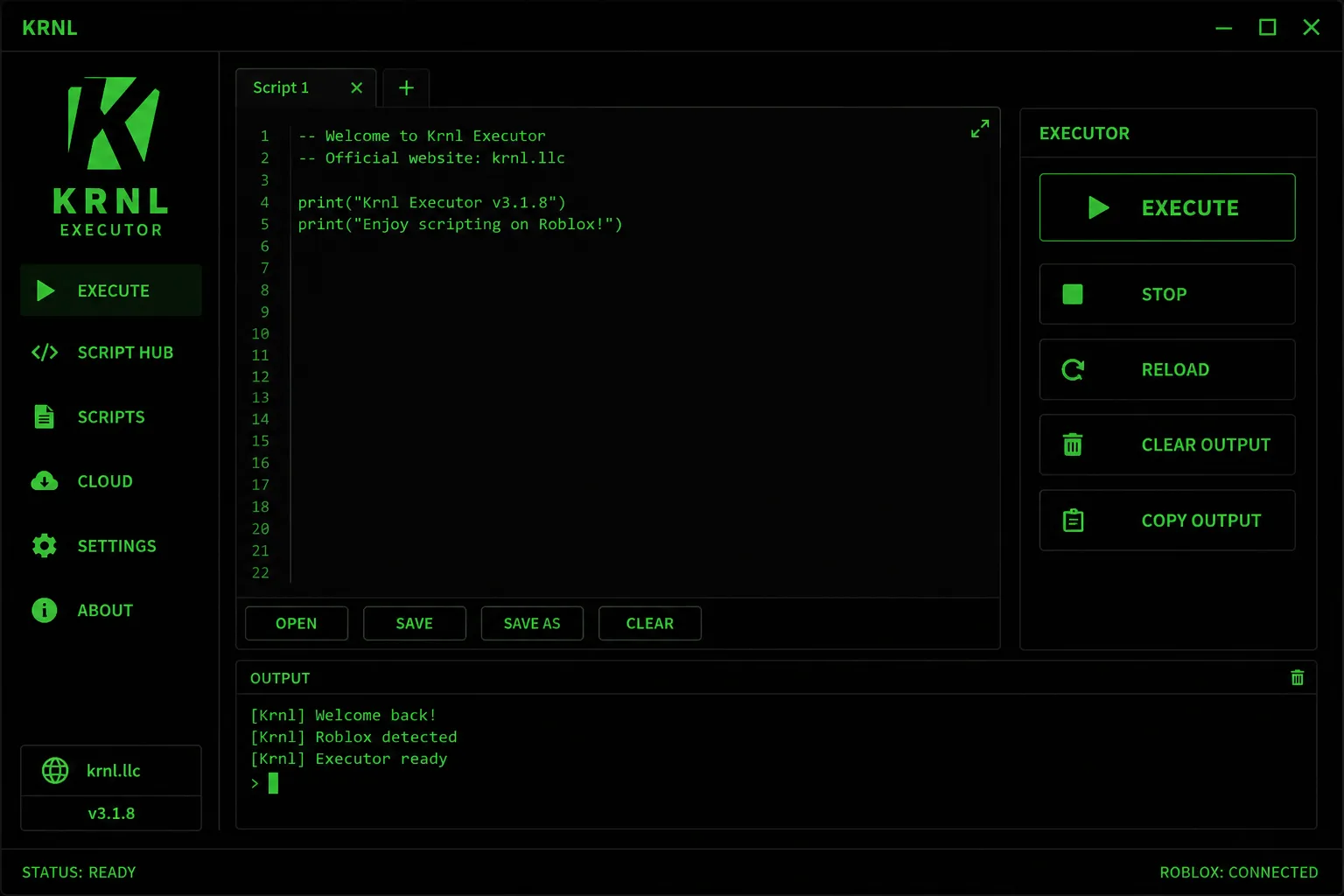
Skip the checkpoints. KRNL runs with no key system — download, inject, execute.
Ships undetected. When Roblox updates its anti-tamper, a fix lands in about 24 hours.
KRNL checks for a new build on launch and updates automatically — you stay on the latest.
01 — Install
Pick your platform below. Each build is the same v3.1.8 core — the same editor, the same script hub, the same no-key start.
The full desktop build. Get the KRNL Executor installer for PC, run it, and attach to Roblox. This is the fastest way to run scripts with the complete editor and cloud hub.
# tip
If Windows SmartScreen appears, choose More info → Run anyway. It's a first-run prompt for new EXEs, not a virus warning.
Run Roblox scripts on your phone with the latest KRNL Executor Android APK (2026 build). Sideload the Roblox APK package, open it, and execute — no PC required.
# tip
Getting App not installed? Remove any older KRNL Executor APK first, then reinstall the newest package.
A native Apple-silicon and Intel build. Mount the DMG, drag KRNL to Applications, and attach to Roblox on macOS with the same editor you get on PC.
# tip
If macOS blocks the app, open System Settings → Privacy & Security and press Open Anyway.
Run scripts on iPhone and iPad with the KRNL Executor iOS IPA. Install the signed IPA, trust the profile, and execute Roblox scripts — no jailbreak needed.
# tip
An Untrusted Developer message means the IPA installed fine — just trust the profile under Settings → General → VPN & Device Management.
02 — Flow
Grab the build for your platform from the official KRNL Executor download on krnl.llc.
Open KRNL, press Attach and let it hook into Roblox in under half a second.
Paste a script or pick one from the hub, hit Execute, and you're running.
03 — Capabilities
A full Lua environment with the API coverage real scripts need — from simple utilities to complex game hubs.
Multi-tab editor with syntax highlighting, autosave and instant execution.
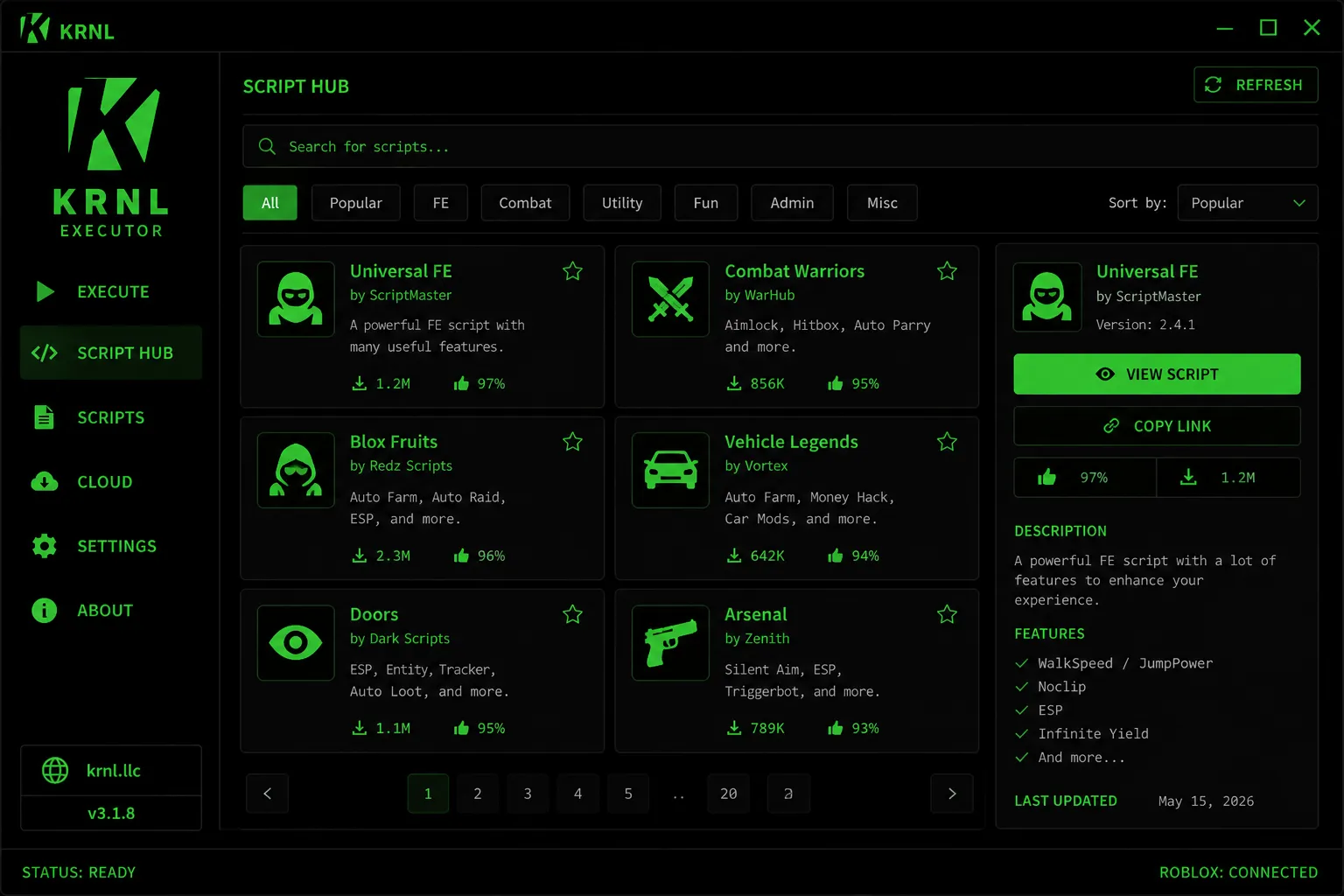
1,500+ ready scripts — auto farm, ESP, aimbot, admin and more, sorted and searchable.
Run universal FE scripts or per-game hubs for Blox Fruits, MM2, Pet Sim and hundreds more.
Drawing, filesystem, HTTP and debug library coverage so advanced scripts just work.
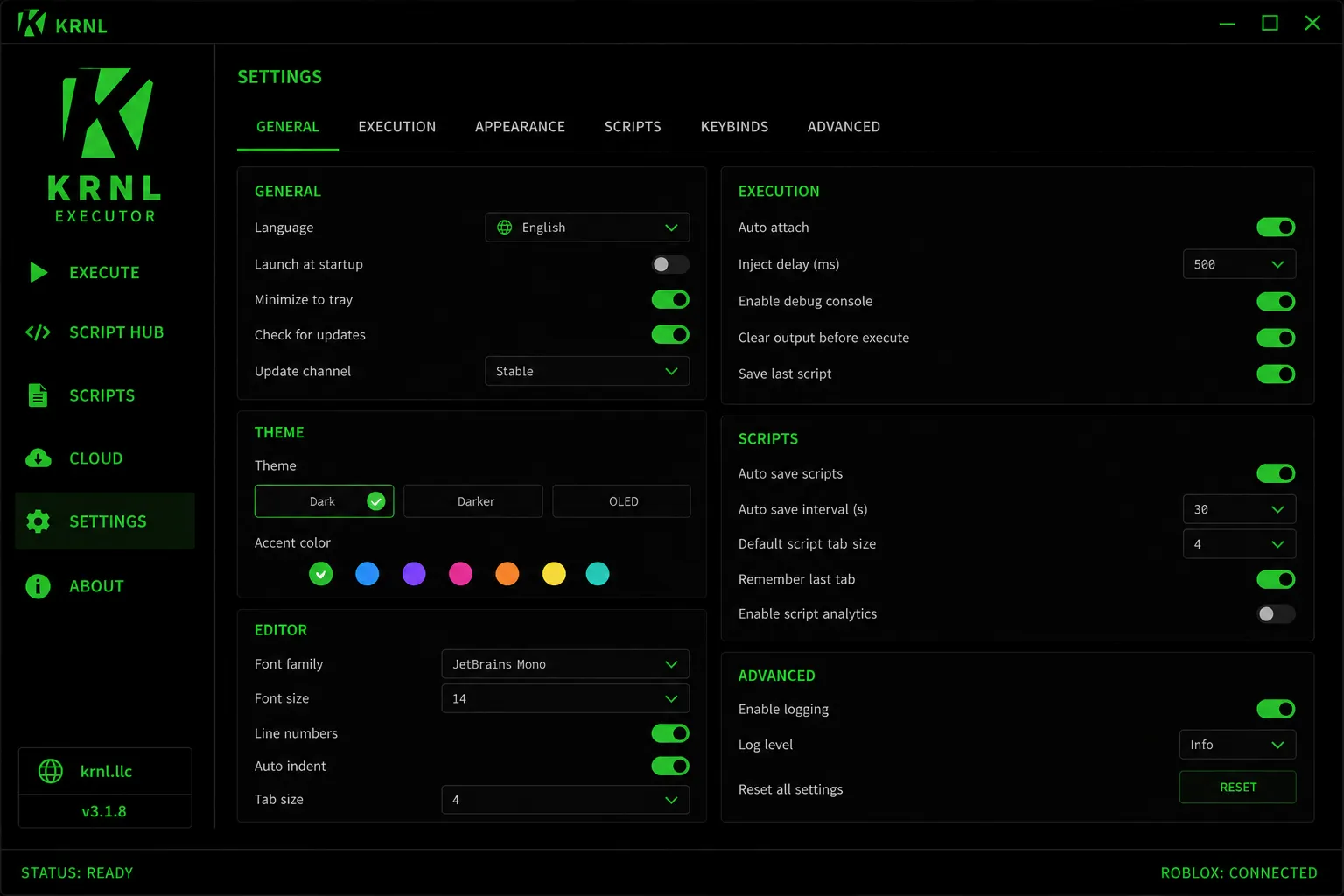
Average attach time around 480 ms with a configurable inject delay in Settings.
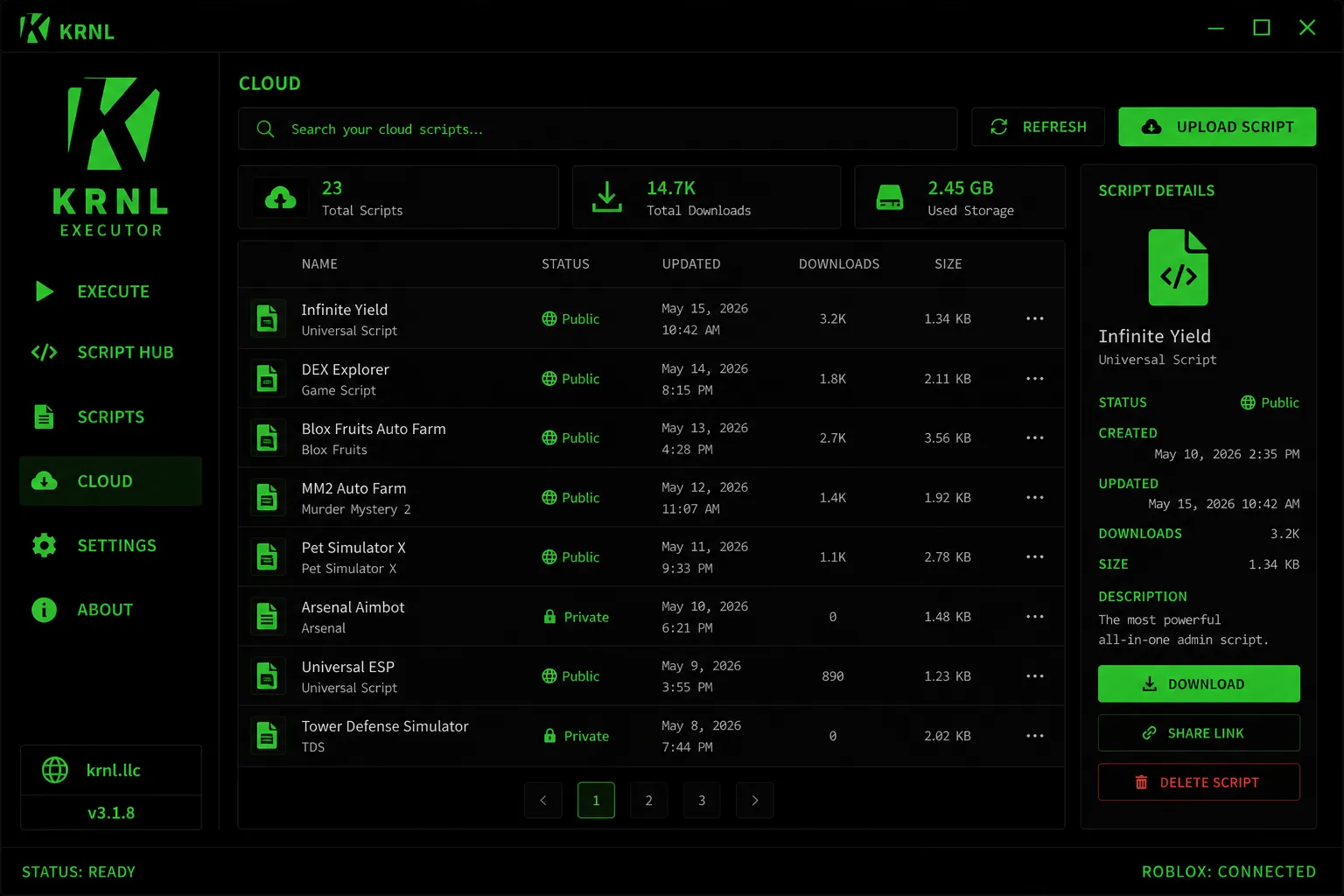
Auto-save scripts, remember your last tab and sync your cloud library across sessions.
Where KRNL currently runs. Status reflects the latest v3.1.8 build and updates within ~24h of a Roblox patch.
04 — Interface
Every screen below is the shipping v3.1.8 build.
05 — Changelog
Click a version to expand its release notes.
+ Re-secured bypass for the July Roblox update
+ Faster attach — average inject down to ~480ms
+ Script hub search now filters by game and author
* Fixed rare crash when opening large scripts
* Cloud sync retries automatically on flaky networks
+ New script hub UI with favorites and sort options
+ Faster cold start on Windows builds
* Fixed occasional attach failure after alt-tab
+ Added OLED theme and custom accent colors
+ New keybind manager in Settings
* Reduced memory use on Android APK build
* Editor autosave interval is now configurable
+ Rebuilt cloud storage with cross-device sync
+ iOS IPA build brought to feature parity with PC
* Hardened injection against integrity scans
+ Multi-tab editor and syntax highlighting
* Removed the key system entirely — no key required
* General stability and startup-time improvements
+ Rewritten execution engine — the 3.x series begins
+ First public macOS build
* Overhauled UI to the current dark theme
+ Added the first cloud script backups
* Improved Android stability on low-RAM devices
* Various bug fixes and performance tuning
06 — Requirements
KRNL is light. If your device runs Roblox, it runs KRNL.
07 — Live
A snapshot of the network right now.
08 — Status
Live health of the KRNL network — uptime, players and injection, updated continuously.
09 — Library
Every script below ships inside KRNL, ready to run. A taste of what's in the hub — from universal FE toolkits to per-game farms.
A full FE toolkit — fly, noclip, reach, speed and more that works across almost any game.
Hands-free leveling, chest collection and raid runner tuned for Blox Fruits.
The classic admin command suite — 200+ commands for teleport, fly, ESP and control.
Silent aim, ESP and a smooth triggerbot dialed in specifically for Arsenal.
Inspect the game tree, remotes and properties in real time — the go-to debugging tool.
Auto-hatch, auto-collect coins and equip your best pets while you're away.
Wall-hack ESP with player names, health boxes and live distance readouts.
Aimlock, hitbox expander and auto-parry for a decisive edge in Combat Warriors.
Coin farming, role finder and ESP built for Murder Mystery 2 lobbies.
…and 1,500+ more, updated weekly. New scripts land in the hub as the community and the Roblox platform evolve.
10 — Trusted
Millions of installs, thousands of reviews, and updates the moment Roblox changes. KRNL has one of the largest, most active user bases of any executor — read what people say on Trustpilot, then grab the latest build.
11 — FAQ
Yes — as long as you download from this site. Every build is scanned and signed before release, and only krnl.llc hosts the official files. If you want to check for yourself, you can upload the file to VirusTotal and scan it across 70+ engines. Re-packed copies from random mirrors are where malware hides, so avoid them.
KRNL ships undetected. If Roblox rolls out a new anti-tamper update, the team pushes a fix in about 24 hours — so any downtime is short and the executor returns to undetected status quickly. You can watch the current state on the Status section above.
No key, ever. There is no checkpoint, no link-shortener and no daily key to grab. Download, inject and execute — that's the whole flow.
KRNL checks for updates on launch and updates itself. If you'd rather do it manually, download the latest KRNL Executor build from the section above — it always carries the newest version.
The latest KRNL Executor APK for Android and the iOS IPA live in the Get Started section. Only the 2026 build hosted on krnl.llc is official — anything advertised elsewhere is a copy.
Pick your platform in Get Started, download the matching build (EXE, APK, DMG or IPA), then follow the three install steps. Most people are running their first script within a couple of minutes.
Treat "GitHub KRNL Executor" mirrors with caution. Open-source repos on GitHub are often re-uploads or forks that bundle extra code — the only build we vouch for is the one hosted here on krnl.llc.
Any executor carries risk, so use an alt account for anything competitive and read the Roblox rules first. KRNL's bypass is designed to stay off detection, but no tool can promise a zero-risk experience.
Completely free. No subscription, no premium tier and no paywalled scripts — the full editor and the entire hub are open to everyone.
12 — Fixes
The common errors and the quickest way past each one.
Run KRNL as administrator, add its folder to your antivirus exclusions, and make sure the .NET 4.8 runtime is installed. If it still crashes, delete the KRNL config folder so it rebuilds a clean profile, then relaunch.
Fully close Roblox, launch KRNL first, then open Roblox and press Attach. Raising the inject delay in Settings → Execution to 800 ms fixes most timing-related attach failures.
Genuine KRNL has no key system, so a key wall means you're on a fake copy. Delete it and re-download from krnl.llc — the official build starts straight into the editor.
Executors hook into a running process, which heuristic antivirus reads as suspicious — it's a false positive on the official file. Allow the file or add an exclusion. If you're ever unsure a file is official, only trust the one from this site.
Click More info → Run anyway. SmartScreen shows this for any newly released EXE until it builds reputation; it isn't a malware verdict.
Roblox updates can temporarily break every executor. Open KRNL to auto-update, or re-download the newest build here. If a patch is still in progress, it usually lands within ~24 hours.
Enable Install unknown apps for your browser, uninstall any older KRNL Executor APK, then install the latest package. "App not installed" almost always means an older version is still present.
The IPA installed correctly — you just need to trust it. Go to Settings → General → VPN & Device Management, tap the profile, and choose Trust. Then reopen KRNL.
Try a different script for the same game from the hub — many issues are the script being outdated, not KRNL. Re-execute after fully loading into the game, and clear the output before running.
Close heavy background apps first. Then, in Settings → Execution, turn off the debug console and disable any ESP-heavy scripts, which are the usual cause. On Android, give KRNL a higher performance profile in your phone's battery settings.
That's Gatekeeper quarantining a fresh download, not real damage. Open Terminal and run xattr -cr /Applications/KRNL.app, then launch it again. You can also allow it under System Settings → Privacy & Security.
Press Refresh in the hub, check your connection, and make sure a firewall isn't blocking KRNL. If it's still empty, restart KRNL so it re-syncs the cloud library from scratch.
Open the About page inside KRNL — it shows your version bottom-left (currently v3.1.8). Compare it with the version shown on this page; if it's older, let it auto-update or re-download here.
Let KRNL auto-update on launch, or download the newest build from this page and install over the old one. Your saved scripts and cloud library carry over.
Some antivirus tools quarantine executors automatically. Restore the file from quarantine, add an exclusion for the KRNL folder, then re-download from krnl.llc. If you're ever unsure a file is genuine, scan it on VirusTotal first.
Close KRNL and Roblox completely, launch KRNL first, then open Roblox and wait until you're fully in a game before pressing Attach. Running KRNL as administrator clears most stuck-attach cases on Windows.
Local scripts live in the KRNL scripts folder next to the app; anything you upload to Cloud syncs to your account and follows you across devices. Reinstalling won't wipe your cloud library.
Ready when you are
The latest v3.1.8 build — free, no key, updated July 2026. Choose your platform:
By downloading you agree this tool is for use at your own discretion. Official files are hosted only on krnl.llc.
Initializing secure session…